A website redesign can change the exact pages, facts, and paths that answer engines use to understand your business. Protect your AI visibility by recording a baseline, preserving valuable URLs where possible, mapping every changed URL, testing crawl access and content, and monitoring the same buyer questions after launch.
Most redesign checklists focus on visual QA, analytics, and Google rankings. Those still matter. AEO adds another question: can an answer engine still find the evidence it used before the redesign, and does the new site still explain your business accurately enough to cite or recommend it?
You cannot guarantee that an AI answer remains unchanged. You can prevent avoidable migration mistakes and keep enough evidence to diagnose what moved.
Before the redesign: record an AI visibility baseline
Take the baseline before staging replaces production and before URLs start redirecting. Use a stable set of buyer questions covering category discovery, comparisons, use cases, trust, and common constraints.
For each question, retain:
- the exact prompt and answer engine;
- the full answer and run date;
- whether your brand was mentioned or recommended;
- the position and sentiment of the mention;
- the pages and third-party sources cited; and
- the competitors that appeared instead.
This is not a promise that later results will be identical. It is a record of what the market-facing answer looked like before the change. CiteCue's Prompts Monitoring keeps the full answer behind each result, while Citations & Competitors shows the sources and brands appearing alongside you.
Export a list of pages that matter to those results. Include pages receiving AI referral traffic, pages cited in tracked answers, and pages that contain canonical facts such as pricing, product capabilities, policies, authorship, or original research. These deserve explicit migration tests rather than a spot check of the homepage.
Decide what should keep its URL
A redesign does not require a new URL structure. If a useful page still serves the same reader purpose, keeping its URL removes an entire class of migration risk.
When a URL must change, create a one-to-one mapping from the old page to the closest relevant new page. Do not send every retired article or product page to the homepage. A redirect only helps when the destination continues the original task.
Google's current site-move documentation recommends preparing an old-to-new URL map, using server-side permanent redirects, updating internal links and canonical annotations, and submitting an updated sitemap. That guidance is written for Google Search. It is also a sound web migration discipline because visitors, crawlers, and tools need a reliable path from the old address to the new content.
Keep a migration sheet with these fields:
| Field | What to record |
|---|---|
| Old URL | The current public address |
| New URL | The final destination, or "unchanged" |
| Page purpose | The question or task the page answers |
| Important evidence | Facts, tables, research, or proof that must survive |
| Redirect test | Expected status and final destination |
| Internal links | Templates and pages that need updating |
| AI baseline | Tracked prompts or citations connected to the page |
Preserve the evidence, not just the word count
Teams often treat a redesign as an opportunity to shorten every page. Cleaner copy can be valuable, but deleting the details that make a claim verifiable can leave a visually polished page with less evidence.
For every important page, identify the information a buyer or answer engine would need to check:
- a direct explanation of what the product does and who it is for;
- current pricing, limitations, and plan boundaries;
- named authors, dates, methods, and sources where they matter;
- comparison criteria that a reader can verify;
- consistent organization and product names; and
- clear links to related evidence rather than unsupported summaries.
Move that information deliberately into the new design. Do not assume a new accordion, tab, interactive calculator, or client-rendered component exposes the same text to every crawler. Check the rendered HTML and test the experience without relying on a designer's source file.
Google's guidance for generative AI features says its AI search experiences still depend on foundational Search practices, including crawlable pages, clear technical structure, useful original content, and eligibility for indexing. That does not describe every answer engine, but it is strong primary evidence against treating a redesign as a purely visual exercise.
Test crawl access and page signals before launch
Staging sites are often protected with noindex, robots rules, passwords, or CDN controls. Those protections are reasonable before launch. They become a serious problem when copied to production.
Your launch QA should check:
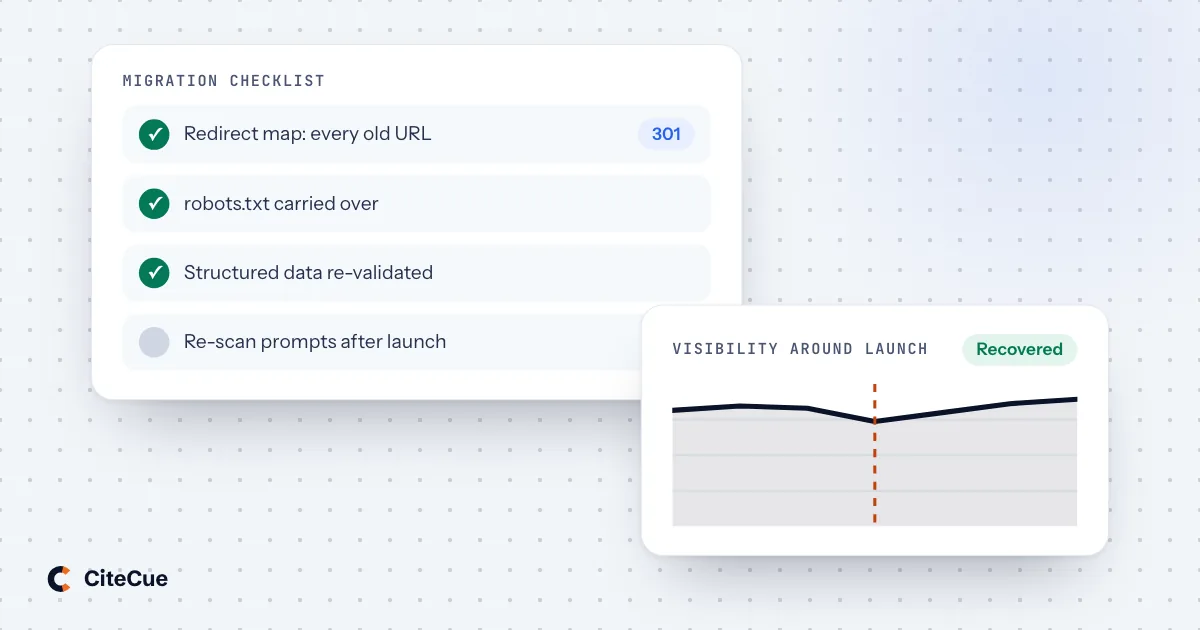
- Important pages return the intended HTTP status.
- Old URLs redirect directly to the mapped destination.
- Canonical tags use the final production URLs.
- Robots directives and CDN rules allow the crawlers you intend to serve.
- The XML sitemap contains only canonical production URLs.
- Page titles, descriptions, headings, structured data, and visible facts agree.
- Internal links point to final URLs rather than passing through redirects.
- Analytics and AI referral tracking still receive data.
Use AI Readiness to recheck crawler access, sitemap discovery, index signals, page metadata, and AI referral setup. A passing technical check means the page is reachable and configured as expected. It does not guarantee that an engine will cite it.
Test whether an agent can still complete important tasks
A redesign can preserve every URL and still make the site harder to use. Pricing may move behind an interaction, contact details may disappear from the page an agent reaches, or navigation labels may become visually clever and operationally vague.
Choose a short task set before launch, such as finding the price for a suitable plan, locating a return policy, comparing two options, or reaching the correct contact route. Run the same tasks on the new site.
CiteCue's Agent Usability attempts real tasks and reports where the agent gets stuck. Treat the result as product QA: inspect the step, reproduce the failure, and fix the page or interaction that blocks completion.
This layer is separate from citation tracking. A page can be easy to cite and difficult to act on. A redesign should protect both discovery and task completion.
After launch: compare answers without claiming causation
Verify redirects, crawlability, sitemaps, and key pages immediately. Then repeat the pre-launch prompt set on a consistent cadence.
Separate three kinds of change:
- Technical failure: an important page is blocked, missing, misdirected, or stripped of critical content.
- Expected transition: crawlers and indexes are still processing changed URLs.
- Answer movement: mentions, citations, competitors, or sentiment differ across repeated runs.
Fix confirmed technical failures first. For answer movement, inspect the full responses and cited pages before deciding the redesign caused the change. Answer engines vary, competitors publish, third-party sources change, and a before-and-after sequence is not a controlled experiment.
Maintain a launch log that records each correction and the scan where you checked it again. Content Fixes can turn observed gaps into a prioritized work queue, but your team should still review whether a suggested action fits the migration evidence.
The AEO migration handoff
The redesign is not complete when the new homepage looks right. It is complete when the team can account for important old URLs, important evidence, crawler access, buyer tasks, and the tracked answers used as a baseline.
Give the site owner three artifacts: the final URL map, the pre-launch AI visibility baseline, and the post-launch issue log. Together they make later changes diagnosable. Without them, a visibility drop becomes an argument about memory.
For the broader technical sequence between publishing and citation, read AI Crawler Access: Robots.txt, Sitemaps, and Indexing Explained. If your redesign also consolidates overlapping articles, use the duplicate AEO content audit before deciding which URL survives.